

STUN and TURN in WebRTC with Asterisk: NAT Guide
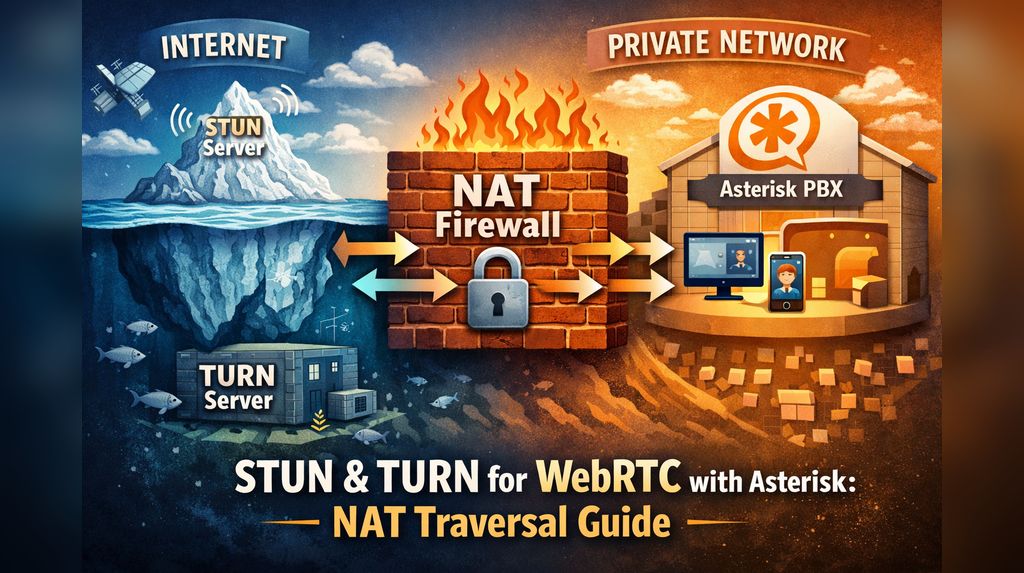
WebRTC enables powerful browser-based telephony, but NAT traversal remains one of the biggest challenges for reliable audio and video streams. In setups using Asterisk (with PJSIP, WSS transports, Raspberry Pi deployments, home networks, or cloud environments), STUN and TURN protocols are essential tools for overcoming NAT issues and ensuring calls connect reliably from anywhere.
Quick Primer: The NAT Problem in WebRTC
WebRTC relies on ICE (Interactive Connectivity Establishment) to negotiate the optimal path for RTP media between peers. ICE gathers multiple candidates (possible IP:port pairs):
- Host candidates (local IP addresses)
- Server-reflexive candidates (public IP:port learned via STUN)
- Relay candidates (provided and proxied via TURN)
In ideal conditions with public IPs and no firewalls, direct peer-to-peer RTP works seamlessly. However, most users—behind home routers, corporate networks, or mobile data—face NAT devices that hide private IPs and block unsolicited inbound traffic. Without assistance, Asterisk or the browser cannot determine reachable public addresses/ports, resulting in one-way audio, no audio, or failed connections.
What STUN Does
STUN (Session Traversal Utilities for NAT – RFC 8489) is a lightweight protocol. A client (Asterisk or the browser) sends a request to a public STUN server (e.g., stun.stunprotocol.org:3478). The server responds with the public/reflexive IP:port it observes.
In Asterisk + WebRTC setups:
- Browsers typically use STUN automatically (via libraries like sipML5, JsSIP, or SIP.js, which include Google STUN servers by default).
- Asterisk can query STUN to discover its own public RTP address and include improved candidates in the SDP.
Configuration in Asterisk (rtp.conf):
ini
[general]
icesupport=yes          ; Required for ICE/WebRTC
stunaddr=stun.l.google.com:19302   ; Or your preferred public STUN
; stunaddr=stun.stunprotocol.org:3478  ; Alternative
This configuration adds srflx (server-reflexive) candidates to Asterisk’s ICE list. In many cases (symmetric NAT, simple home broadband with port forwarding, Raspberry Pi setups), STUN alone achieves 80-90% direct peer-to-peer success.
What TURN Does (and Why It’s Heavier)
TURN (Traversal Using Relays around NAT – RFC 8656) is used when direct connectivity fails—such as with symmetric NAT on both ends, strict firewalls, or blocked UDP. The TURN server acts as a relay: peers send media to the server, which forwards it.
Key characteristics:
- More resource-intensive (higher bandwidth, CPU usage, added latency of +10-50 ms typical).
- Requires authentication (username/password or long-term credentials).
- Asterisk can generate relay candidates via TURN.
Configuration in Asterisk (rtp.conf – Asterisk 16+ with ICE support):
ini
[general]
turnaddr=yourturn.example.com:3478          ; or :5349 for TLS
turnusername=asteriskuser
turnpassword=supersecret
Asterisk requests a TURN allocation and advertises relay candidates. Configuring the browser with the same TURN server is highly recommended for maximum reliability.
Do We Need STUN and TURN with Asterisk WebRTC?
| Scenario | STUN Needed? | TURN Needed? | Recommendation for Raspberry Pi / Asterisk Setups |
|---|---|---|---|
| Asterisk on public IP (cloud VPS, no NAT) | No | Rarely | Skip both; use ice_host_candidates for explicit public IP mapping. Lowest latency. |
| Asterisk behind NAT with port forwarding + externip/external_media_address set correctly | Optional | No (usually) | STUN can help if dynamic IP; often not needed. |
| Users on home broadband / symmetric NAT / mobile networks | Yes | Often | STUN almost always; TURN for the ~10-30% failure cases (corporate firewalls, double NAT). |
| Strict security (block open RTP ports on Asterisk) | — | Yes | Use TURN relay only → no open RTP ports needed on Asterisk. |
| Maximum reliability (“it must work everywhere”) | Yes | Yes | Provide both to browser + Asterisk; prefer TURN with TLS. |
Short answer: STUN is almost always needed (cheap, fast, fixes most issues). TURN becomes essential for production-grade reliability, especially with mobile users or complex NAT scenarios. In simple home/Raspberry Pi demos, TURN may be overkill—but it proves invaluable for real-world testing on 4G or corporate Wi-Fi.
Practical Tips for Your Setup
- Browser-side configuration (in WebRTC JS code):JavaScript
const iceServers = [ { urls: 'stun:stun.l.google.com:19302' }, // Add TURN when ready { urls: ['turn:yourturn.example.com:3478?transport=udp', 'turn:yourturn.example.com:5349?transport=tcp'], username: 'user', credential: 'pass' } ]; - Use public/free STUN servers (Google, Twilio, Metered.ca) for testing.
- For production, self-host Coturn (Debian/Raspberry Pi friendly) or use managed services (Metered, Twilio, Xirsys).
- In pjsip.conf endpoints: Set direct_media=no, rtp_symmetric=yes, force_rport=yes, rewrite_contact=yes — these settings complement ICE/STUN/TURN.
- Test thoroughly with tools like Trickle ICE or Asterisk CLI commands: asterisk -rvvv + pjsip set logger on.
Mastering STUN and TURN transforms a local Raspberry Pi Asterisk WebRTC phone from a fun prototype into a robust, globally accessible solution.
If you’re interested in a Coturn installation guide, config snippets for Asterisk 18/20/21, or one-way audio troubleshooting, feel free to ask!